Instagram Puzzle Feed Templates Canva: Create a Stunning Grid
Struggling to make your Instagram grid look cohesive and professional? You’re not alone. Many creators, bloggers, and small business owners spend hours planning each post only to find their feed looks disjointed. What if you could design 15 posts at once, ensuring every image, font, and color works together seamlessly? That’s the power of an Instagram puzzle feed template designed specifically for Canva.
What Exactly Is an Instagram Puzzle Feed Template?
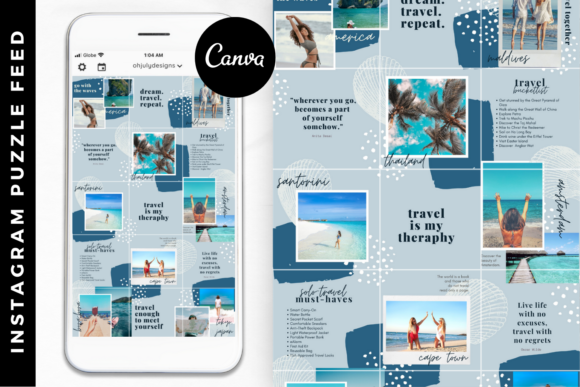
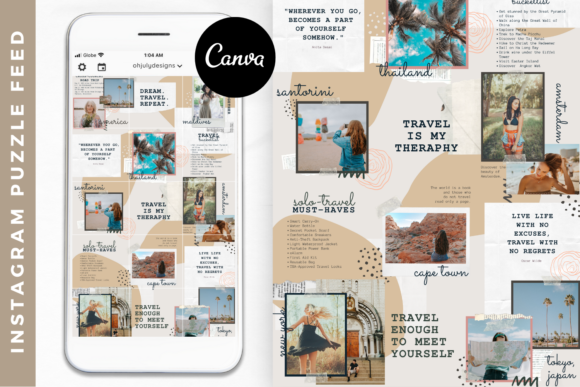
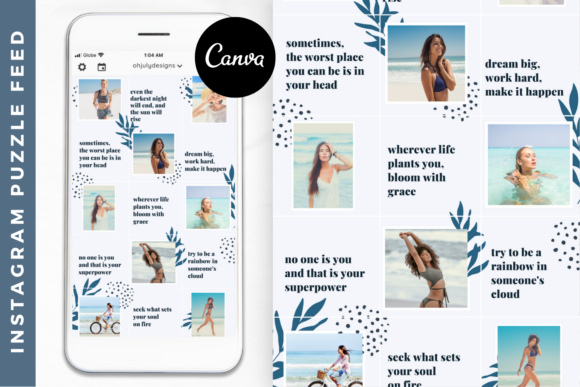
Think of it as a master plan for your Instagram grid. A puzzle feed template is a single, large canvas divided into multiple square segments—typically 15, which covers five rows of three posts. When you design on this canvas and then slice it into individual posts, the images, text, and graphic elements align perfectly from one post to the next. The result is a visually connected, artistic grid that tells a story and stops scrollers in their tracks. The Isabelle Instagram Template is a prime example of this, offering a feminine-inspired, modern aesthetic that’s fully editable right inside Canva’s free or Pro platform.
Unlike designing each post in isolation, a puzzle template encourages you to think about your content calendar holistically. You can plan a week or more of content in one session, maintaining visual consistency that strengthens your brand identity. This approach is particularly valuable for those using social media graphics to showcase products, share blog posts, or build community, as it transforms your feed into a curated digital magazine or portfolio.
The Visual Style and Practical Appeal of the Isabelle Template
The Isabelle template isn’t just a grid; it’s a design system. Its visual personality leans towards clean, modern elegance with a feminine touch. You’ll find a balanced mix of sans serif fonts for clarity and script fonts for accent headlines, creating a dynamic typographic hierarchy. The layout uses ample white space, soft color palettes, and structured blocks that can accommodate photos, quotes, promotional graphics, and value-driven tips. This style appeals directly to bloggers, influencers, and service-based entrepreneurs who want to communicate professionalism and creativity simultaneously.
Where does a template like this work best? Its applications are vast:
- Brand Consistency: It acts as a built-in font pairing and color guide, ensuring every post reinforces your brand identity.
- Time Efficiency: Drag-and-drop editing in Canva means you can swap photos and text in minutes, not hours. This is a game-changer for busy creators.
- Content Strategy: The 15-post grid is perfect for planning a content theme, a product launch sequence, or a storytelling arc.
- Professional Polish: It instantly elevates your feed, making your profile look curated and intentional—key for attracting collaborations and audience trust.
Practically speaking, the template’s design influences more than just aesthetics. A well-structured grid improves visual hierarchy, guiding the viewer’s eye across your entire profile. This can boost engagement, as users are more likely to linger and explore a feed that feels cohesive. It also reduces decision fatigue; you have a proven framework to work within, freeing up mental energy for creating compelling content.
How to Choose and Implement Your Puzzle Feed Template
Selecting the right template involves more than just liking the preview. Consider your brand’s existing visual language. Does the template’s color palette align with yours? Are the included font styles—whether serif, sans serif, or handwritten—compatible with your current typography? The Isabelle template is fully editable, so you can adjust every color and font, but starting with a design that already resonates with your aesthetic saves significant time.
Once you’ve chosen, implementation is straightforward:
- Test the Flow: Before committing to final images, use placeholder text and stock photos to see how the puzzle cuts. Check that key elements don’t awkwardly straddle the grid lines between posts.
- Evaluate Readability: Ensure that text, especially smaller call-to-action lines, remains legible when viewed as a single square post in the feed. This is where modern typography principles apply—contrast and size matter.
- Plan Your Content: Map out what each of the 15 posts will communicate. A mix of educational tips, personal stories, and promotional content usually keeps the feed engaging.
- Check Licensing: For commercial use—like selling products or promoting a business—confirm the template’s license allows for such projects. Most premium templates, including Isabelle, are designed for both personal and commercial use, but it’s always wise to verify.
Remember, the goal is to create a feed that feels both beautiful and authentic to your brand. A puzzle feed template is a powerful design asset, but it should serve your message, not overshadow it. Use it to showcase your unique voice, whether you’re a crafter sharing DIY tutorials, a marketer highlighting client success stories, or a coach offering daily inspiration. By leveraging a tool like the Isabelle Instagram Puzzle Feed Template in Canva, you’re not just saving time—you’re strategically building a recognizable and professional online presence that resonates with your audience.