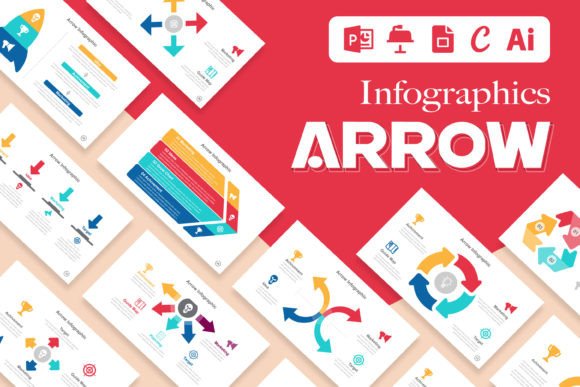
Arrow Infographics: Dynamic Data Visualization Templates
In the world of presentations and visual storytelling, static charts often fail to hold attention. You need a visual language that guides the eye, clarifies relationships between data points, and injects energy into your message. This is where Arrow Infographics come into play. Far more than simple geometric shapes, these templates are the connective tissue of a compelling narrative, transforming complex information into a fluid, logical journey for your audience. Whether you are a designer, a startup founder, or an educator, mastering this layout style is a direct path to more persuasive communication.
The Anatomy of Directional Design
At its core, an Arrow Infographic Template Layout is built on the principle of movement. Unlike static blocks of text or isolated icons, arrows imply progression, causality, and flow. Visually, these templates range from sleek, minimal vectors to dynamic, layered compositions with gradients and textures. The "personality" of a well-designed arrow set is active and forward-thinking. It suggests that your brand or message is not stagnant but evolving.
The appeal lies in versatility. A sharp, angular arrow conveys precision and speed—ideal for tech startups or financial reports. A curved, swooping arrow suggests organic growth, making it perfect for wellness brands or environmental initiatives. When you utilize a premium font for your headers within these templates, the overall aesthetic shifts from a generic diagram to a polished brand identity asset. The layout acts as a frame, but the directional cues are what drive the storytelling.
Strategic Applications Across Industries
The utility of Arrow Infographics extends far beyond a standard PowerPoint slide. For the modern marketer or content creator, these templates are essential design assets. Consider the following real-world scenarios:
- Editorial Design: In long-form articles or white papers, arrows break up dense text blocks, guiding the reader through a chronological history or a step-by-step tutorial.
- Social Media Graphics: On platforms like Instagram or LinkedIn, attention spans are short. A bold arrow pointing to a call-to-action or a key statistic instantly anchors the viewer's focus.
- Packaging Design: Arrows are often used on packaging to demonstrate how a product works or to highlight a specific feature, ensuring the consumer understands the value proposition without reading a manual.
- Web Design: On landing pages, arrows serve as visual cues that direct the user’s scroll behavior, leading them toward conversion points.
For small business owners, the ability to edit these templates easily is crucial. You don't need to be a vector art expert to customize a timeline or a comparison chart. The structure is already there; you simply need to insert your data.
Visual Hierarchy and Audience Engagement
Why do arrows work so effectively? It comes down to psychology and visual hierarchy. Humans are wired to follow paths. When you place an arrow in a design, you are giving the viewer explicit permission to look "over here next." This reduces cognitive load, making your information easier to digest.
Furthermore, the style of your arrow influences brand perception. A thick, bold arrow paired with a sans serif font feels modern, assertive, and corporate. Conversely, a hand-drawn arrow paired with a script font or handwritten font feels personal, approachable, and creative. This pairing is critical. If your typeface clashes with the energy of your graphic elements, the message feels disjointed.
Consistency is also key. Using the same arrow styles across your presentations, website, and social media builds recognition. It becomes a subtle signature of your brand's visual language.
Practical Selection and Customization
Choosing the right Arrow Infographic Template requires a critical eye. Do not just pick the flashiest design; pick the one that serves your data. Here is a practical guide to evaluating these assets:
- Evaluate the Flow: Does the arrow direction support your reading culture (left-to-right for Western audiences)? Does the path make logical sense for the data you are presenting?
- Check for Editability: A high-quality template should allow you to change colors, resize elements without pixelation, and swap out text easily. Look for files that work in PowerPoint, Google Slides, and Adobe Illustrator to ensure compatibility across your team.
- Review Typography Integration: Look at the placeholder text. Does it use a creative font that is legible at small sizes? Ensure the template includes links to free fonts or that the serif font choices complement the geometric nature of the arrows.
- Commercial Licensing: If you are creating assets for a client or for sale, verify that the license allows for commercial use. This is non-negotiable for professional work.
Pairing Fonts with Directional Graphics
A common mistake is using a font that competes with the arrows for attention. If your arrows are intricate or textured, opt for a clean sans serif font or a standard serif font for body text. If your arrows are simple and thin, you can afford to use a display font or modern typography style for headers to add some flair.
Test your pairings by viewing the slide at a distance. If the text blurs into the arrows, you need more contrast. Remember, the arrow is the vehicle, but the typography is the voice. They must work in harmony to achieve the desired audience engagement.
Elevating Your Visual Narrative
Ultimately, Arrow Infographics are about clarity. They transform raw data into a story of movement and change. By integrating these templates into your workflow, you move away from "bland" and toward "dynamic." Whether you are mapping out a business strategy, explaining a biological process, or outlining a marketing funnel, the right directional template ensures your audience doesn't just see the data—they understand the journey. Invest in high-quality, editable templates, and watch your presentations become significantly more persuasive.